What Clients See
Clients open one invite. Welcome comes first. Intake appears only when the request has intake fields. The checklist then keeps one Active Platform open. The request stays partial until the requested products are fulfilled, and it stays resumable until the link expires.
Welcome
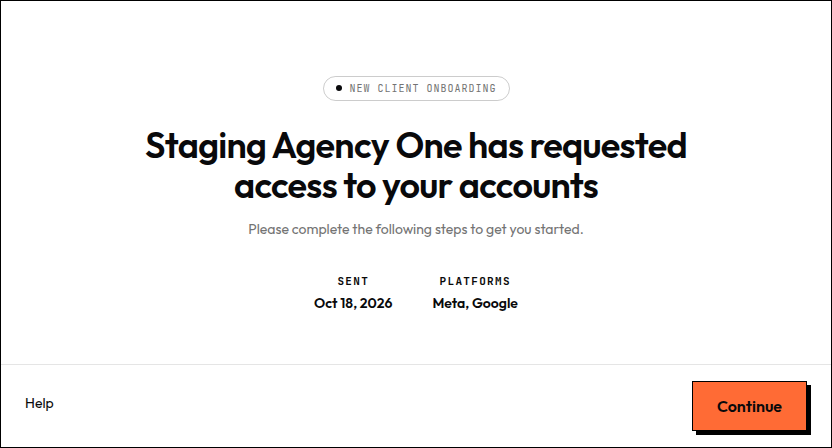
The first screen names the agency and the platforms on the request. The heading is "{Agency} has requested access to your accounts." The client chooses Continue. Passwords are never requested. Approval happens on each platform's own screens.
Continue opens Quick Setup when the request has intake fields. With no intake fields, Continue opens the checklist.
Optional intake
Quick Setup asks for the fields on the request. Required fields must be filled. Continue saves them and opens the checklist.
The checklist and one Active Platform
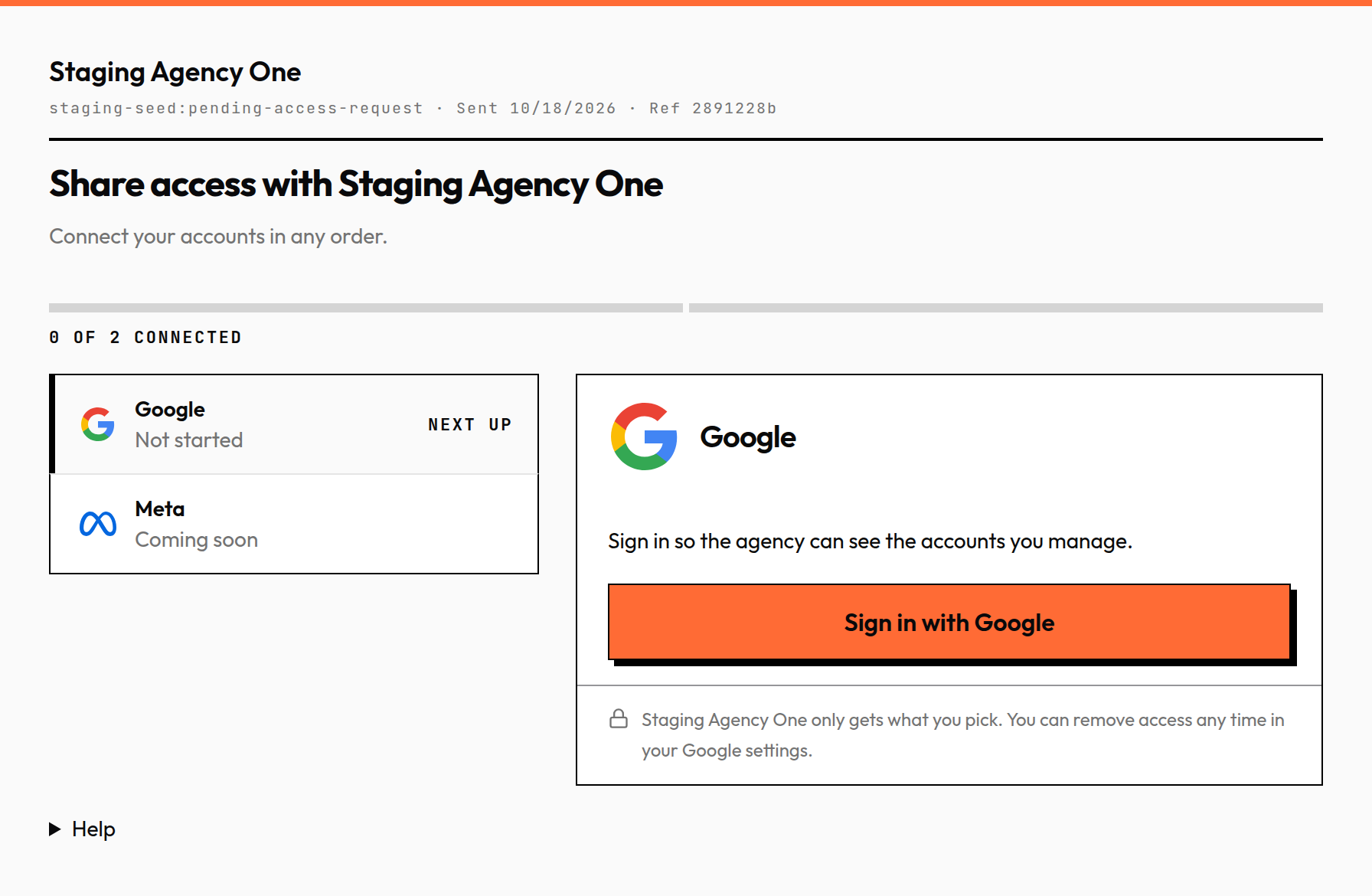
The checklist lists the Platform Groups on the request. Above it, the count reads like "2 of 5 connected." One row is open. That row reads Next up. It is the one Active Platform, and its detail is the only connection step on screen.
OAuth stays in the checklist detail. The client approves on the platform's official login and returns to the same detail.
A manual-invite group navigates to its /manual route. Those groups are Kit, Beehiiv, Mailchimp, Klaviyo, Shopify, Zapier, and GoDaddy. The client invites the agency in that platform's own settings, then returns to the request. Beehiiv uses that same email invite. Shopify differs: the client copies a 4-digit collaborator code from Settings → Users → Security and enters it with the store domain. Their agency then sends the request from Shopify, and the client accepts it under Settings → Users → Requests.
Finish for now
Finish for now appears after one platform is connected. It is absent before that, and it is absent once every requested platform is connected.
Choosing it records a partial finish. The client sees the Done-for-now card: the agency has access to what they connected, and the link works until it expires. Continue remaining platforms returns to the checklist.
A later visit to that partial invite shows the Done-for-now card again. The request stays partial and resumable until expiry. When every requested product is fulfilled, the page reads "All set — you're done."
When the invite is replaced
Expired, revoked, and unavailable replace the invite. The client can close the page and contact the agency.
- Expired: "This link has expired." Send a new link.
- Revoked: "This request was revoked." The agency withdrew the request.
- Unavailable: "This link is no longer available." Send a new link.
The client sees that card on load, and when a save during the flow returns one of those states. A manual route does the same: loading /manual for an expired, revoked, or unavailable request shows the card, and a save on that route that returns one of those states replaces the page.
A load failure that is none of those states stays the retry card. A timeout reads "Still working on it." Any other load failure reads "We couldn't load this request." The client chooses Try again.
Google
The client connects Google with OAuth. That login stays in the checklist detail.
While a GA4 or Tag Manager grant is still pending, the checklist says the agency will finish that access manually. A missing management scope or a denied add shows "your agency is finishing access." Google Ads stays partial after OAuth until the manager link or user invite is verified. Merchant Center and Business Profile still need a native grant. Search Console can complete on discovery without one.
How to explain it to clients
You'll open one secure link. Continue on the welcome screen. If we asked for a few details, fill those in next. Then work the checklist, one Active Platform at a time. OAuth stays in that detail. For Kit, Beehiiv, Mailchimp, Klaviyo, Shopify, Zapier, or GoDaddy, you'll open that platform's own invite page and come back. After the first connection you can finish for now and return until the link expires. We never ask for your password.
What usually reassures clients
- The agency name on the welcome screen, with your logo and brand color. Custom branding is on every plan.
- A visible checklist, with one Active Platform open.
- A clear stop after the first connection, and a link that still works until it expires.